 FiveWise
Customized playing-time targets and sub calls, planned for you.
FiveWise turns your roster into a substitution plan for every game, with a playing-time target for each player and every sub timed to the game clock. Then run it from the bench.
Coming soon to the App Store for iPhone
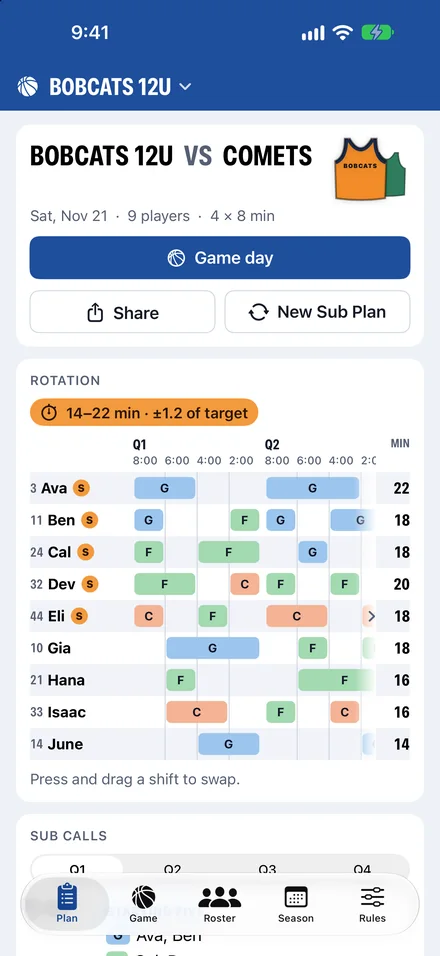
From roster to game day
Set up your team once. Before each game it takes about a minute.
-
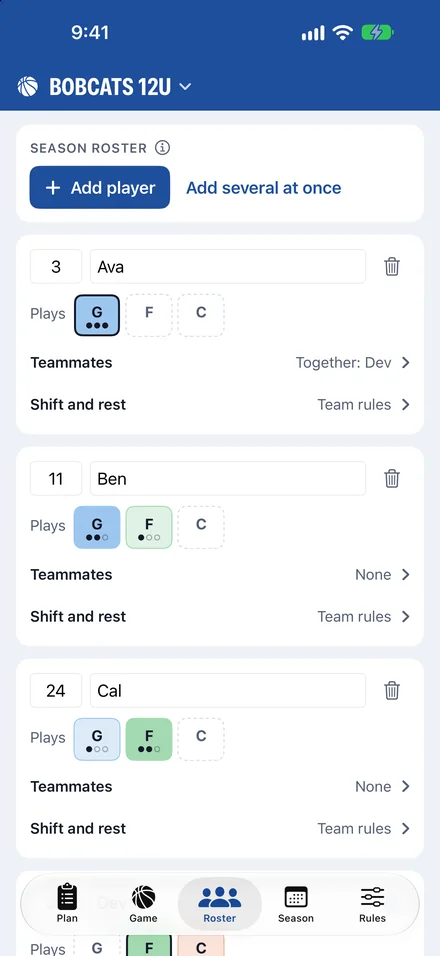
Add your players
Name, number and the positions they play. Give anyone a playing-time target above or below an even share, and keep teammates together or apart.
-
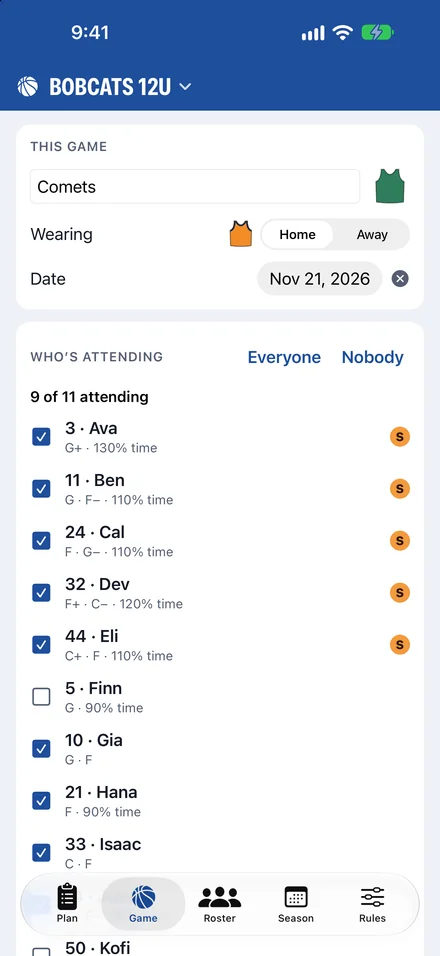
Mark who’s here
Before each game, untick anyone who’s missing. Pick your starting five if you like.
-
Your plan is ready
Every player gets their target minutes, and every sub is timed to the game clock within your shift and rest limits.
Press and drag a shift to swap, try a new sub plan, or share it as a PDF or a text.
-
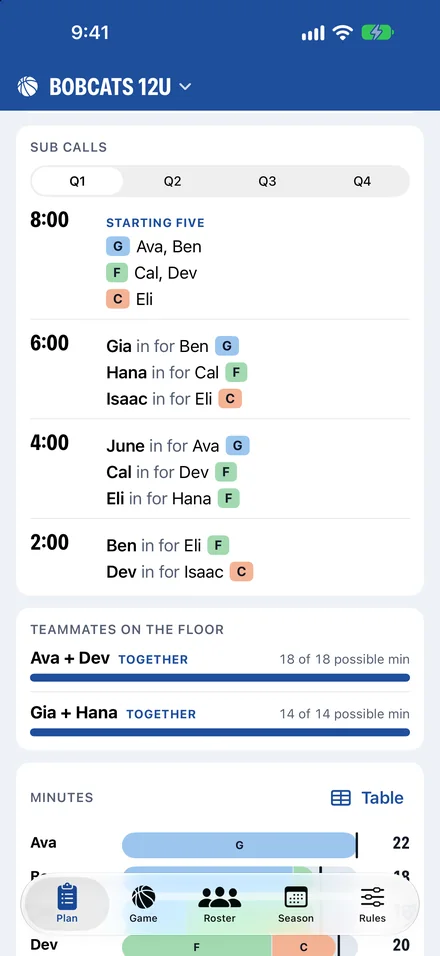
Game day
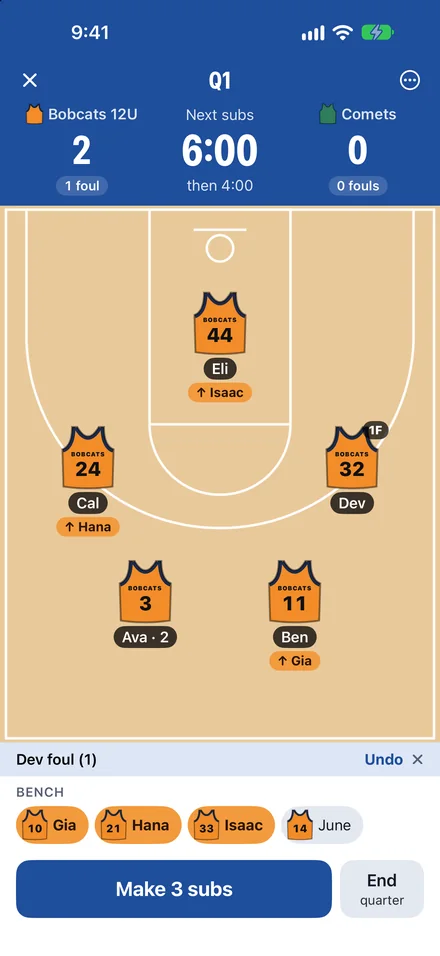
Who’s on, who’s next, and when to sub. Tap a player to add points or a foul, and tap the big button once the subs are on the floor.
Need a change the plan didn’t expect? Tap the player, then Sub, and the rest of the game adjusts. The score and the next sub call also show on your lock screen.
FiveWise Pro
See what’s working over a season
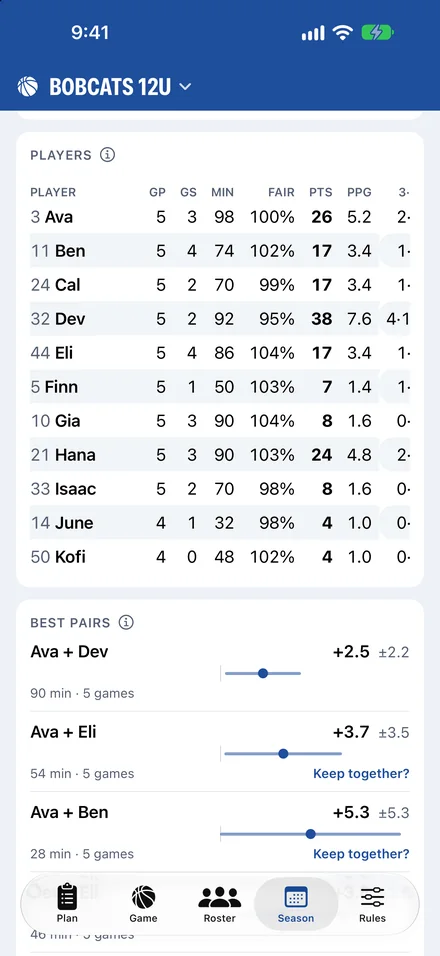
Save each game to the season and FiveWise adds up the numbers from your plans and the points and fouls you tapped in.
- Player stats. Games, starts, minutes and fair share, points, and fouls for every player.
- Plus/minus and on/off. How the team did with each player on the floor, adjusted for how it did in each game.
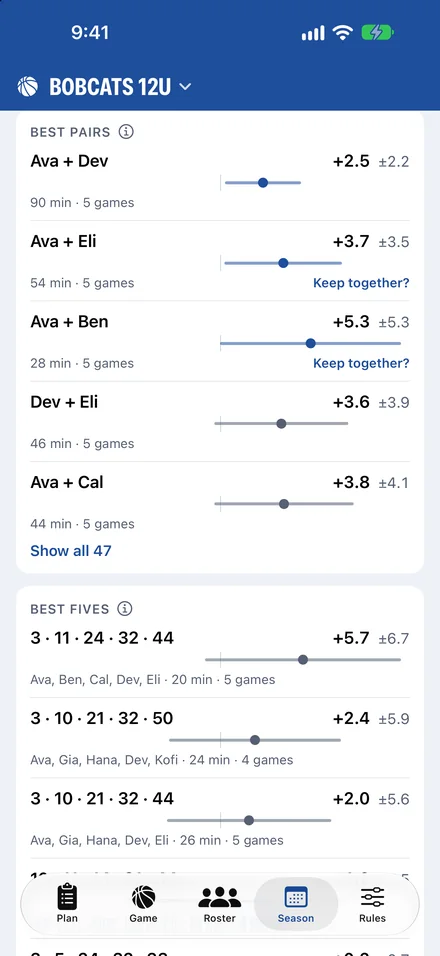
- Best pairs and best fives. Which combinations do best, with a 90% range that narrows as their minutes add up. Keep a strong pair together with one tap.
Your uniforms
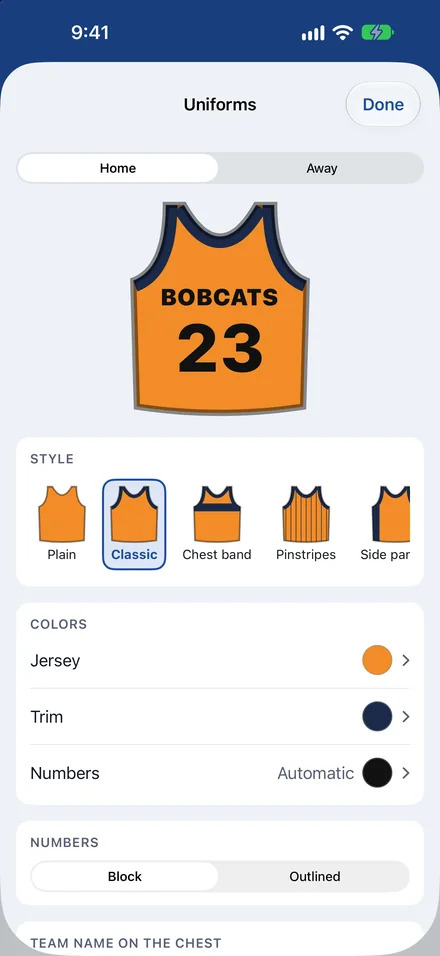
Colors and a style for home and away. Your uniforms show up on the court in game mode.
Free to coach one team
Free
No cost
One team, with the whole planner and game day: plans, sub calls, drag to edit, sharing, scoring and fouls.
FiveWise Pro
$4.99, one time
More teams, season stats and lineups, saved plans, and the full uniform designer. Shared with your family through Family Sharing.
Works without internet. No account. Your teams stay on your phone.
Support
Questions, feedback, or something not working? Email us:
If you’re reporting a problem, include your iPhone model, iOS version, and what you were doing when it happened.
- Replay the tutorial
- Rules, then Watch the tutorial at the bottom.
- Restore FiveWise Pro
- Rules, then Restore purchase at the bottom. Pro also follows your Apple Account to a new iPhone.
- Move a team
- Rules, then Team file. Save it on one phone and load it on the other.